Genshin Wish Simulator
Pull every Genshin character on today’s banner — free, in your browser, no download. Browse the roster on the Genshin character list.
Summoning Genshin characters…
What is the Genshin character wish simulator and how do you play it?
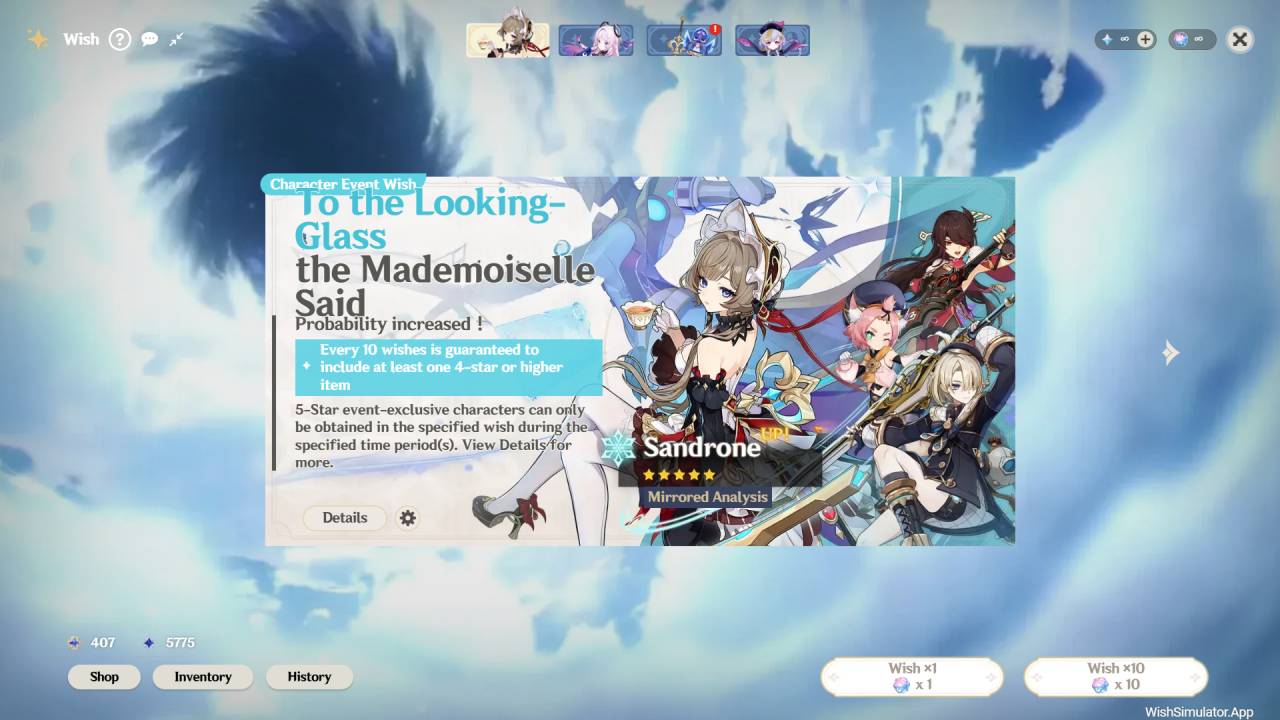
The Genshin character wish simulator is a browser gacha game that recreates the wish system from Genshin Impact: you spend fate currency on the current character event wish and watch which Genshin character you pull, from 4-star supports to the featured 5-star. Press the play button above and the simulator loads right here on this page — nothing to install, no launcher, no account.
Inside the game, Wish x1 pulls once and Wish x10 pulls ten characters in a row with the full reveal animation. The counter at the bottom left tracks your fate currency and primogems, Inventory stores every Genshin character you pull, History logs each wish so you can count your pity, and the Shop tops up your currency when you run dry. On a phone or tablet every button is touch-friendly, and the fullscreen button next to the like and share row gives the wish screen the whole display.
How Genshin character wishes, rarity and new banners work
Every Genshin character belongs to one of seven elements — Pyro, Hydro, Anemo, Electro, Dendro, Cryo and Geo — fights with one of five weapon types (sword, claymore, polearm, bow, catalyst) and comes in 4-star or 5-star rarity, all listed on the Genshin character list. The wish system is what stands between you and the character you want: a 4-star item is guaranteed at least every 10 wishes, a 5-star at least every 90, and limited banners raise the odds on one featured Genshin character for a few weeks at a time.
That banner rhythm is why the roster keeps growing. HoYoverse ships a major version roughly every six weeks, and most versions introduce at least one new Genshin character with a limited wish of their own. The simulator follows the live character event wish, so the Genshin character headline on the banner today is the one you can pull here today — a risk-free way to feel the pity system before you spend a single primogem in the real game.
Wikis, tier lists and build guides answer the question “which Genshin character is strongest?” This page answers a different one: what does it actually feel like to wish for a Genshin character? Ten pulls, a golden reveal, or forty wishes of 4-star weapons — the simulator shows you the odds with your own eyes, on every device, without spending a single primogem.
Genshin character wish simulator FAQ
Is the Genshin character wish simulator free to play?
Yes. The simulator is completely free: you start with fate currency and primogems in game, and when you run out the in-game shop tops you up. There is no paywall, no account and nothing to buy on this site.
Do I need to download anything or create an account?
No. The wish simulator runs in your browser inside this page. Press play and it loads in place; there is no launcher, no installer and no sign-up, on phone or desktop.
Can I play the Genshin character simulator on my phone?
Yes. The simulator is touch-friendly: wish buttons, inventory and history all work with taps, and the fullscreen button (which also tries landscape mode) fills the screen on mobile.
Does it use the real Genshin Impact banners and rates?
It follows the current character event wish from the live game, including its pity rules: a 4-star at least every 10 wishes and a 5-star at least every 90. It is a fan-made simulation, not the official game.
Do my pulls here affect my real Genshin Impact account?
No. Nothing on this site connects to your HoYoverse account. Wishes here spend simulator currency only, so you can chase any Genshin character without touching your real primogems.
Which Genshin characters can I pull?
Every Genshin character on the current banner plus the standard roster, across all seven elements and both 4-star and 5-star rarity. Your pulls are stored in the in-game inventory and logged in history.
Can I play in fullscreen?
Yes. Use the fullscreen button next to the like and share row; on phones it also attempts landscape orientation. Press the exit button in the corner (or Esc) to return to the page.
What if the game area stays blank or will not load?
The simulator is hosted by a third party, so a slow connection or a brief outage on their side can delay loading. Reload the page once; if the wish screen still does not appear, try again later or leave a comment below.
Traveler comments